
SMS Not Sending: Troubleshooting Guide
Diagnose and fix issues when appointment reminder SMS messages are not being delivered to patients.
Debug It Like the Front Desk, Not Like IT
When a patient says "I never got a reminder," the cause is almost always one of five mundane things — and every one of them is visible inside DentalView in under a minute. Work the checklist in order; the log at the end settles whatever's left.
The Five Usual Suspects
- No phone number on the record. Reminders skip phone-less patients silently. Open the patient profile and look. Philippine formats both work: 09171234567 or +639171234567.
- The patient opted out. A STOP reply blocks all future SMS automatically. Check the Patient Opt-Out List at the bottom of Settings > SMS — messages to opted-out numbers appear in the log as Blocked. Re-enabling requires the owner and a typed CONFIRM, deliberately: overriding a stated preference is a decision, not a click.
- The allocation ran out — for manual sends. At 100% of your monthly allocation the manual Send SMS button disables ("SMS limit reached for this month"). Automated reminders keep sending — the cap is soft — so an over-allocation month affects your hand-typed messages, not the reminder engine.
- The category is off. Each reminder type — 24h, 48h, morning-of, recall, payment — has its own toggle in Settings > SMS. A missing morning-of confirmation across many patients on the same day usually means the toggle, not the carrier.
- Quiet Hours delayed it. Nothing sends between 9 PM and 7 AM (default); messages that would land there wait for morning. Not lost — queued politely.
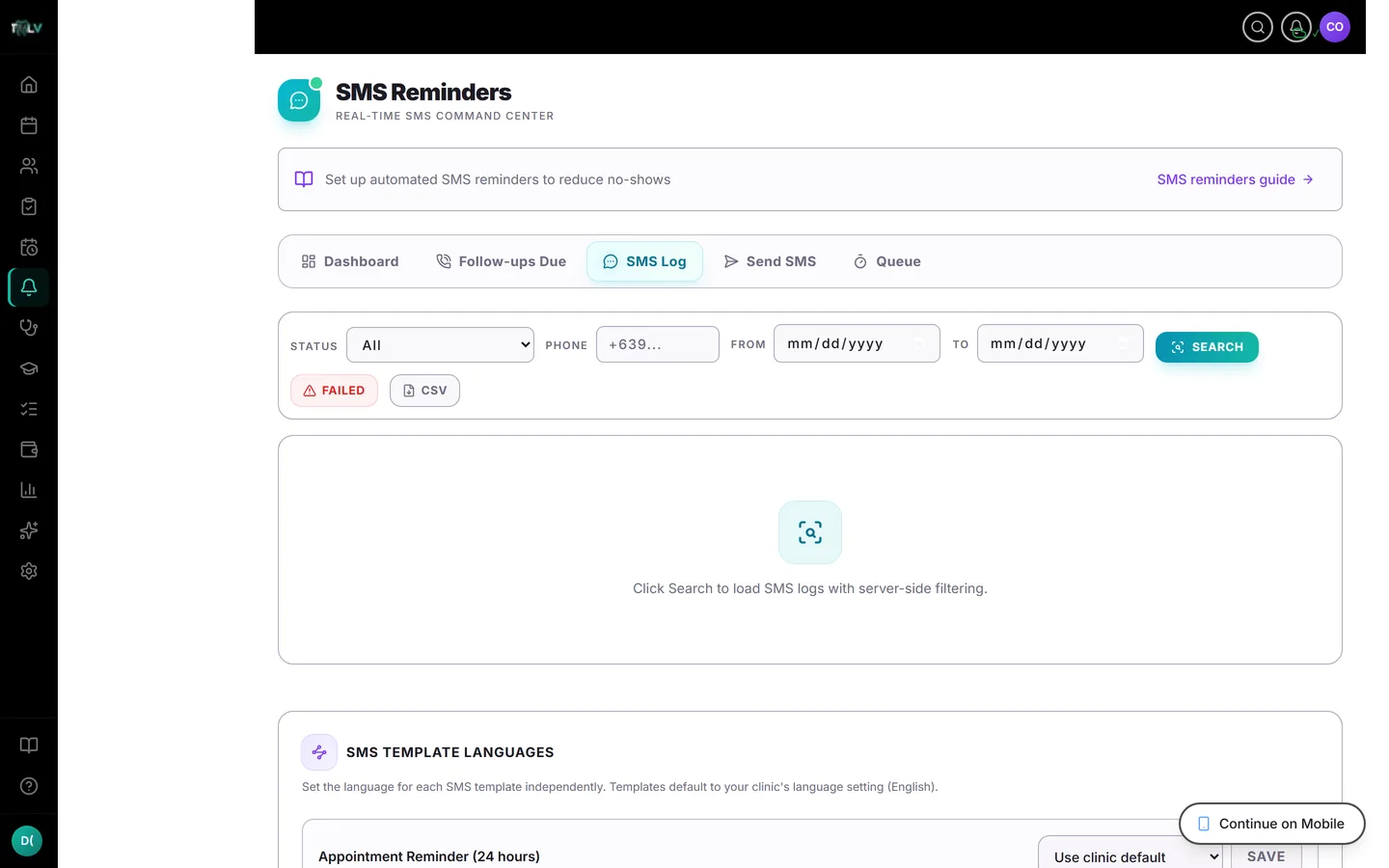
The SMS Log Settles Arguments
Reminders > SMS Log lists every message with its lifecycle status: Delivered, Assumed Delivered, Sent, Failed (with a Retry action), Queued, Processing, Retry, Blocked, Cancelled. Filter by phone, status, or date. "I never got a text" meets "sent 9:02 AM, delivered 9:02 AM" — or genuinely reveals a Failed you can retry on the spot. Either way the conversation ends with facts.
Stuck in the Queue?
The Queue tab shows pending messages; it auto-processes every 2 minutes, and Process Now hurries it along. Individual items can be retried or cancelled. A queue that keeps refilling without draining is worth reporting to support — that's the one scenario on this page that isn't yours to fix.
Delivered but "Not Received"
Carrier-side reality: delays spike around holidays and promo blasts, prepaid numbers lapse, some handsets filter unknown senders. Confirm the number is a live mobile (not a landline — landlines accept no SMS but fail quietly), and ask whether the patient's phone blocks unfamiliar numbers. For systematic vigilance, enable Reminder delivery updates in Settings > Notifications: it alerts you when a reminder fails, converting silent failures into a quick phone call — which is the actual fix, since a failed reminder plus a human call still prevents the no-show.
Was this article helpful?
Need more help? Contact our support team