
How DentalView Protects Your Data
Learn about the security measures DentalView uses to protect clinic and patient data, including encryption, backups, and access controls.
Privacy Is Table Stakes for a Clinic
Patient records are among the most sensitive data a small business can hold — health conditions, contact details, payment history in one file. Philippine law (RA 10173) treats your clinic as a personal information controller with real obligations, and patients increasingly ask sharp questions. This article explains how DentalView is built to make the honest answer "yes, that's handled" — the legal mapping lives in the companion RA 10173 article.
Isolation: Your Data Is Yours Alone
Every clinic's data is walled off from every other clinic's — no cross-clinic queries, no shared patient pools, and the AI features honor the same wall: Devy answers only from your clinic's data and never sees another practice. Within your clinic, access follows roles, and crucially the rules are enforced on the server, not merely hidden in the interface — a curious Front Desk login can't reach financial data by guessing an address bar URL. What each role can open is configurable in Settings > Roles.
Money Data: Never Even Held
Card payments are tokenized by PayMongo (PCI DSS compliant); DentalView never stores raw card numbers — for your subscription or for anything else. The strongest protection for data is not holding it at all.
Consent, Recorded Like Evidence
Every registration path — front-desk entry and QR self-intake alike — captures consent for treatment records, SMS notifications, and data processing. Each patient's Data Consent card on their profile shows every consent with its status (active or revoked), capture method, date, and IP address; self-registrations add the patient's finger-drawn signature. When someone asks "did she agree to receive texts?", the answer is a record, not a recollection.
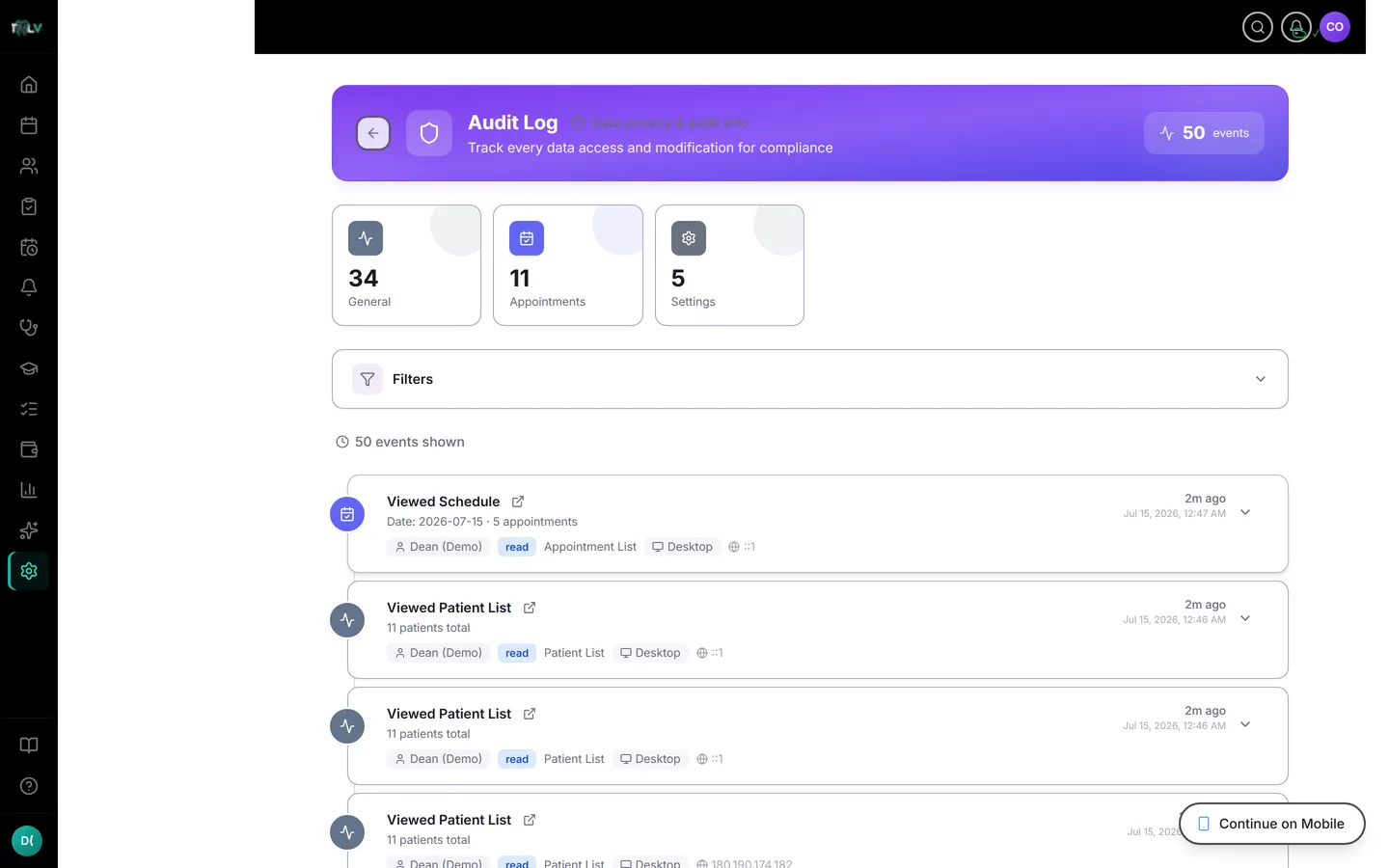
Accountability: The Audit Log
The Audit Log (Settings > Audit Log) records every access and change to patient data — who, what, when, from which device and IP — filterable per patient. Nobody, including the owner, can edit it from the app. It's covered in depth in its own article; for privacy purposes the point is simple: "who looked at this record?" always has an answer.
Sessions, Passwords, and Leavers
The account-security layer backs the data layer: password changes sign out all devices at once (a compromised password dies everywhere in one stroke), Active Sessions under Settings > Security shows every signed-in device with per-device revocation, and ownership transfers hide behind an owner-only PIN plus OTP. When staff leave, deactivating them in Settings > Team cuts access immediately while their work history stays attributed — the two halves of a clean exit.
Deletion Done Right
Archiving a patient starts a 30-day restorable window (Settings > Recently Deleted); after it, the record is anonymized automatically — identity permanently gone, de-identified statistics preserved. That schedule is what makes a deletion request answerable with a straight face: "your record will be fully anonymized within 30 days," and it will be.
The Human Layer
Software can't stop a shared password or a screen left open in the waiting room. Three habits complete the system: individual logins for every staff member (never a shared "frontdesk" account — the audit log's value depends on knowing who), a lock-screen rule on shared devices, and the same-day deactivation of anyone who leaves. Technology plus those three habits is a privacy posture most clinics only claim.
Was this article helpful?
Need more help? Contact our support team