
Transferring Clinic Ownership
How to securely transfer clinic ownership to another team member using PIN and OTP verification.
The Most Guarded Button in the System
Transferring clinic ownership hands over everything — patients, financials, billing, the team, the audit history. It's the kind of action that should be hard to do accidentally and impossible to do invisibly, so DentalView wraps it in four locks: an owner-only page, a 6-digit Transfer PIN, an OTP to the new owner's phone, and a typed final confirmation. Legitimate transfers take five careful minutes; illegitimate ones don't happen.
Before You Start
Three prerequisites: you must be the clinic owner; a 6-digit Transfer PIN must be set in Settings > Security (the transfer page walks you through creating one if it's missing); and the incoming owner must already be an active team member — invite and activate them first if needed. Ownership is handed to a colleague, never to a stranger address.
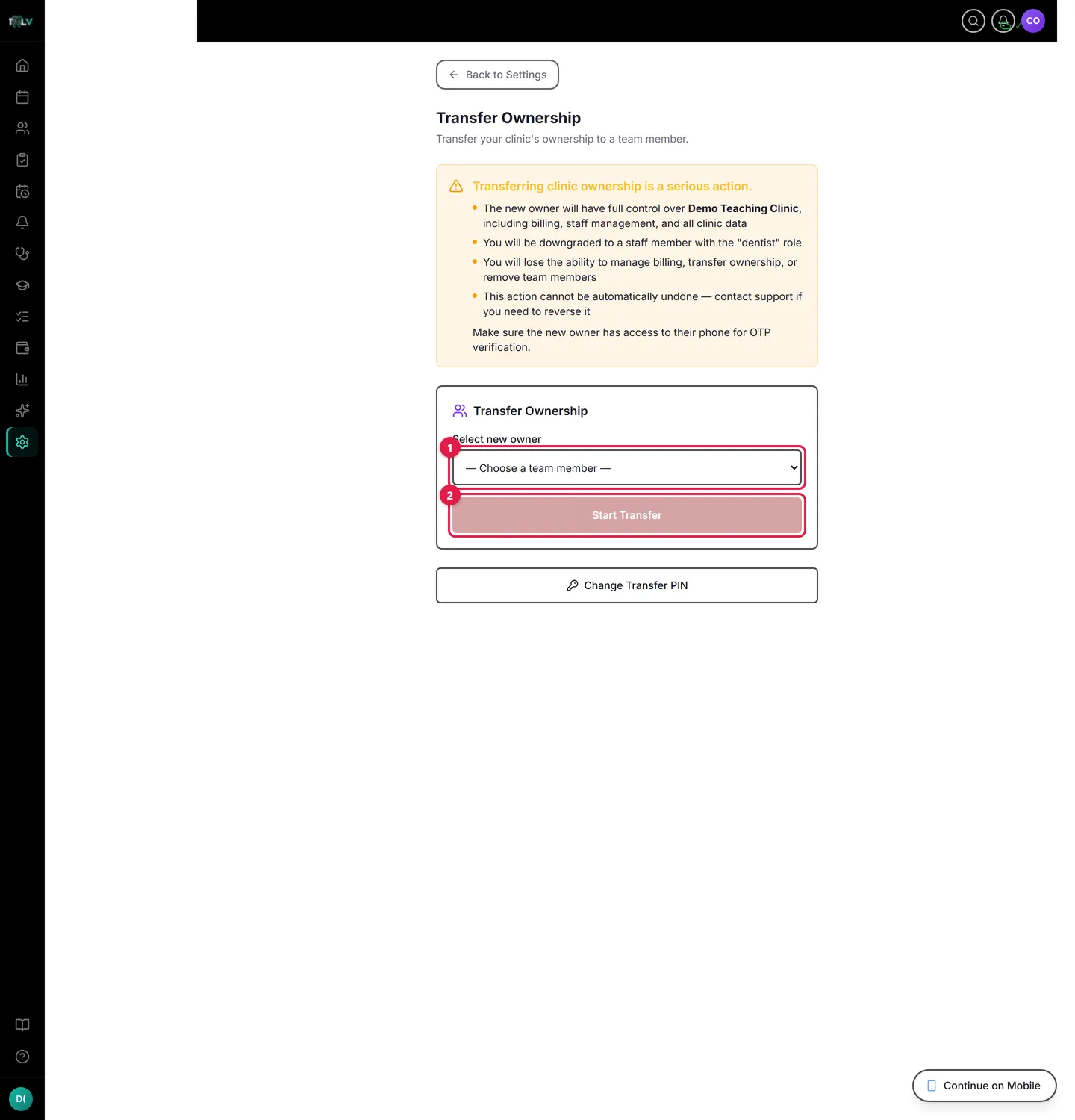
On this screen: ① Select new owner — the dropdown lists your active team members; the new owner must already be a member. ② Start Transfer — begins the guarded flow: a one-time code goes to the new owner's phone, and you finish by typing TRANSFER in the final confirmation. If you haven't set your 6-digit Transfer PIN yet, the page walks you through that first.
The Transfer, Step by Step
- Open Settings > Transfer.
- Under Select new owner, choose the team member. The page states the consequence plainly: they become the owner, you are demoted to staff.
- Click Start Transfer and confirm — an OTP goes to the new owner's registered phone, and the status shows Awaiting OTP.
- The new owner enters their code. This step is the point: the transfer cannot complete without the recipient's live participation, so nobody is handed a clinic they didn't agree to take. Transfers expire if the OTP isn't entered in time (an expired one just gets dismissed and restarted).
- On OTP Verified, click Complete Transfer within the countdown, and in the final dialog type TRANSFER — exactly — to unlock the button.
What Changes the Moment It Completes
The new owner holds every permission: billing, team management, settings, future transfers. You are demoted to a staff role — dentist in a regular clinic, professor in a teaching clinic, since there the dean *is* the owner — still working in the clinic, no longer running it. Practical order of operations for a real handover: transfer ownership first, then let the new owner adjust your role and the billing details — not the other way around, since you lose those controls at completion. The whole sequence is written to the Audit Log.
Safety Valves
A pending transfer can be cancelled with Cancel Transfer at any point before completion. The PIN can be changed anytime via Change Transfer PIN (when no transfer is in flight). And because reversal requires the new owner to run the same guarded flow back, treat completion as final — this is a succession instrument, not an undo-friendly toggle.
When This Flow Is the Right One
Selling the practice, formal succession to an associate, restructuring who legally runs the clinic. When what you actually want is "give my manager more power," that's a role change in Settings > Team — Full Access exists precisely so the crown rarely needs to move.
Was this article helpful?
Need more help? Contact our support team