
Restoring Deleted Patients
Recover a patient you removed by mistake — deleted records stay restorable for 30 days.
A Safety Net, Not a Trash Can
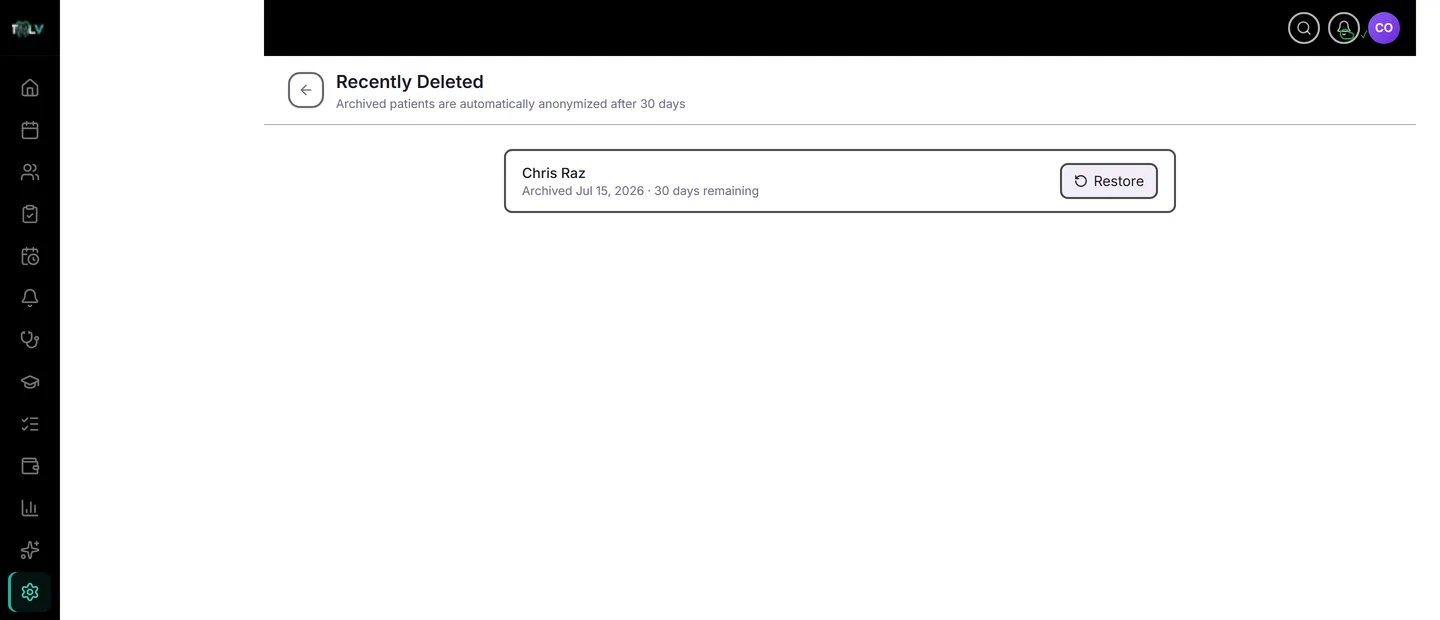
Deleting a patient record is the kind of action that should be recoverable — a duplicate archived in haste, the wrong "Maria Santos," a test entry that turned out to be real. DentalView's answer is a 30-day holding area: archived patients leave your active list immediately but stay fully restorable in Settings > Recently Deleted (visible to the owner and Full Access) until the countdown runs out.
How a Patient Gets Here
Archiving happens from the patient profile's Danger Zone (Archive Patient). Two graduated confirmations protect real data: patients with visit history require typing their full name to confirm, and every archive offers a 5-minute Undo banner immediately after. Miss the banner? That's what this page is for.
Restoring, Step by Step
- Open Settings > Recently Deleted.
- Find the patient — each row shows the archive date and "{n} days remaining", turning amber at 5 days or less as a last warning.
- Click Restore. The patient returns to the active list with everything intact — chart, case record, prescriptions, payments, SMS history. Restoration is complete, not partial.
There's no time-of-day trick or support ticket involved; within the window, restore is always one click.
What Happens on Day 30
After 30 days the record is anonymized automatically: identity fields are permanently removed while de-identified clinical data survives for your statistics. Anonymization is irreversible — no restore, no support escalation, by design — which is exactly what makes the feature compliant with RA 10173's right to erasure: the patient who asked to be forgotten genuinely is, on a predictable schedule you can quote to them ("your record will be fully anonymized within 30 days").
Practical Habits
- Audit this page before the countdown ends if your clinic archives frequently — a weekly glance catches the mistaken archive while the number is still green.
- For duplicate cleanup, archive the duplicate only after confirming which record holds the real history (visits, payments); the phone-match auto-linking on registration prevents most future duplicates.
- When a patient requests deletion, archive their record and tell them the 30-day anonymization schedule — that conversation, plus the audit log entry the archive writes, is your documented compliance story.
Was this article helpful?
Need more help? Contact our support team