
SMS Credits and Usage
Monitor your SMS credit balance, understand usage patterns, and learn what happens when credits run out.
How the Allocation Works
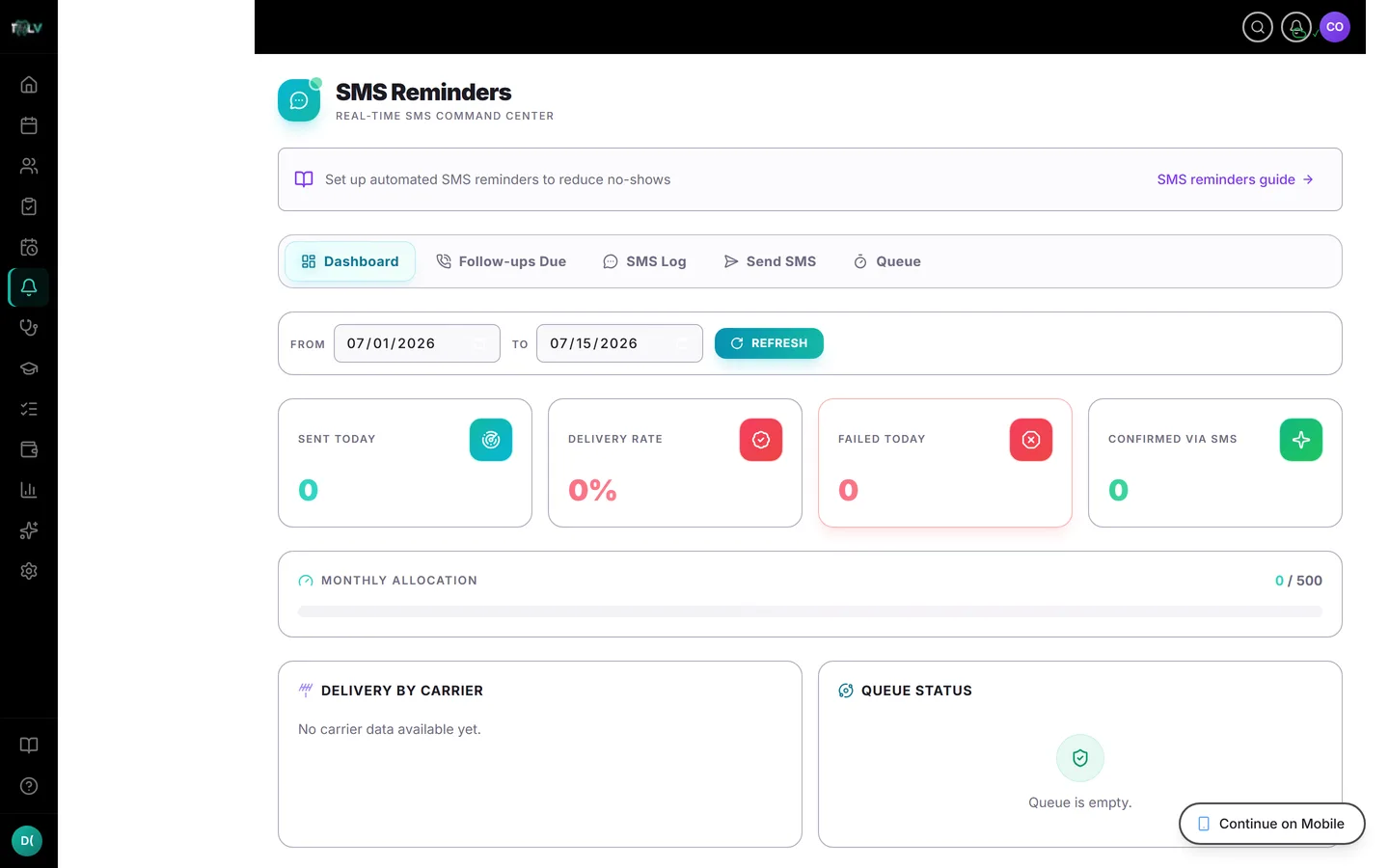
Every clinic plan includes 500 SMS messages per month, resetting each month. A clinic seeing 20 patients a day with the full reminder cadence (48h, 24h, morning-of) uses roughly 60 patient messages a day, so monitor the allocation and add SMS credits when needed. The allocation is there to keep costs predictable, not to interrupt care — which is why it's a soft cap (below).
What Counts Against It
Patient-facing messages count: appointment reminders, confirmations, recalls, thank-yous, payment nudges, reactivation drips, and manual sends. Two subtleties:
- Long messages cost more than one credit. SMS is billed in 160-character segments; the composer's counter shows exactly how many segments your custom message will use (up to 320 characters / 2 segments). Templates are already written to fit one segment.
- System messages to you don't count: the daily summary, billing notifications, platform alerts, and the allocation warnings themselves ride free.
Watching Usage
Two live gauges: SMS Usage This Month in Settings > SMS and the Monthly Allocation bar on the Reminders dashboard. Both turn amber at 80% and red at 100%, and owners also receive automatic warning SMS as usage crosses 80%, 100%, and 150% — you will never discover an overage by accident at month-end.
When You Hit the Limit
DentalView uses a soft cap: automated reminders keep sending past your allocation, so a busy month never silently drops patient messages. What changes at 100% is on your side — the manual Send SMS button is disabled with the banner "SMS limit reached for this month. Upgrade your plan to send more," and the overage keeps counting on your usage bar. Owners receive warning SMS alerts as usage passes 80%, 100%, and 150%. If you regularly run over, trim reminder categories in Settings > SMS or add SMS credits.
Stretching the Allocation Intelligently
If you're brushing the cap most months, cut the lowest-value sends first: the post-visit thank you is the most expendable category, the 48h reminder the next (keep the 24h — it does the heavy anti-no-show work), and recalls should be the last thing you ever turn off, because a recalled patient is booked revenue. If you need more capacity, add SMS credits for the messages you expect to send.
Was this article helpful?
Need more help? Contact our support team