
Academic Terms & the Current Term
Define school-year terms, mark the current one, and understand what term filters change — and what stays cumulative.
Two Clocks, One Program
Academic programs run on two different clocks: the program clock (has this student done enough, ever, to graduate?) and the term clock (what happened this semester?). Mixing them corrupts both — a student can have a great semester and still be behind on graduation, or coast a semester on prior credit. DentalView keeps the clocks separate, and academic terms are how you wind the second one.
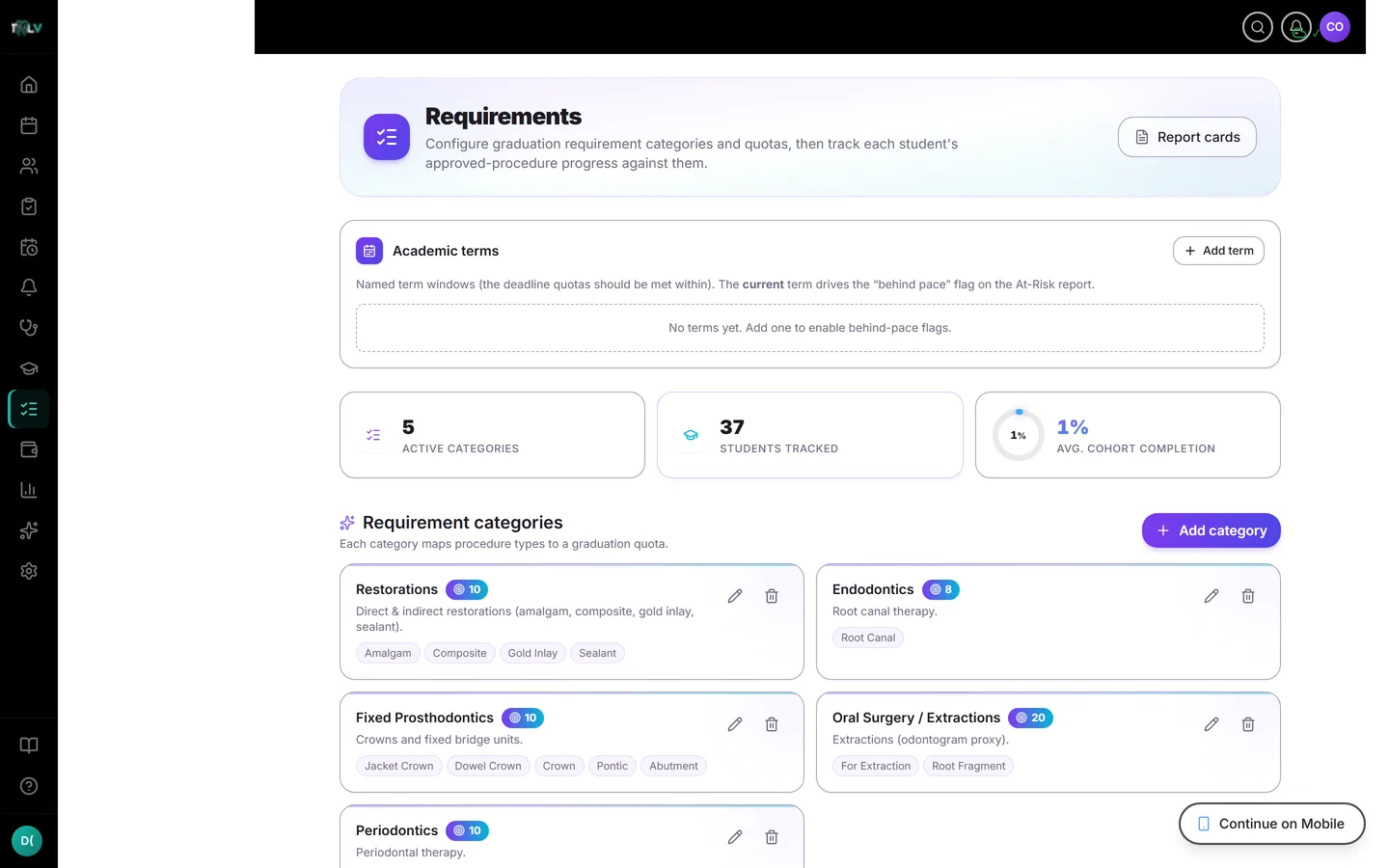
Setting Up Terms
On the Requirements page, the Academic Terms manager creates named windows — "SY 2026–27, First Semester" — each with start and end dates (validation insists the end follows the start). Mark exactly one as Current. Create the school year's terms before classes start; the analytics calibrate from day one instead of mid-term.
What the Current Term Drives
The current term tells the system where the cohort should be by now, which powers:
- The Behind pace flag on At-Risk Students — a student 20+ points below the term's expected elapsed progress gets flagged even if they're not yet behind the cohort median. This is the early-warning math, and it simply doesn't exist without a current term set.
- Devy's sense of pace when faculty ask how the cohort is doing.
Edge behaviors are sensible: a past term clamps to 100% (retrospective "didn't finish"), a future term reads 0% (nobody is behind before it starts).
Term Filters in the Reports
Case Mix, Faculty Supervision, and Report Cards each carry a term selector defaulting to All time. Scoping to a term answers windowed questions — "what did we treat this semester?", "how many sign-offs did Dr. Reyes do?" — without ever changing graduation math.
What Always Stays Cumulative
Requirement completion is a whole-program number, always: cohort completion, requirement coverage, the Accreditation Pack, and the signable report card are all-time by design, and term-scoped views deliberately drop targets and percentages (Case Mix even hides its coverage section under a term filter, telling you to switch back). If a term view ever seems to be "missing" completion data — that's the feature. The one-sentence version for faculty meetings: terms measure activity; the program measures competency; only the program view is ever signed.
Was this article helpful?
Need more help? Contact our support team