
Student Report Cards & Accreditation
Generate a printable per-student competency report — approved procedures against every graduation requirement, ready for the Dean's signature or an accreditation visit.
The Document the Dean Signs
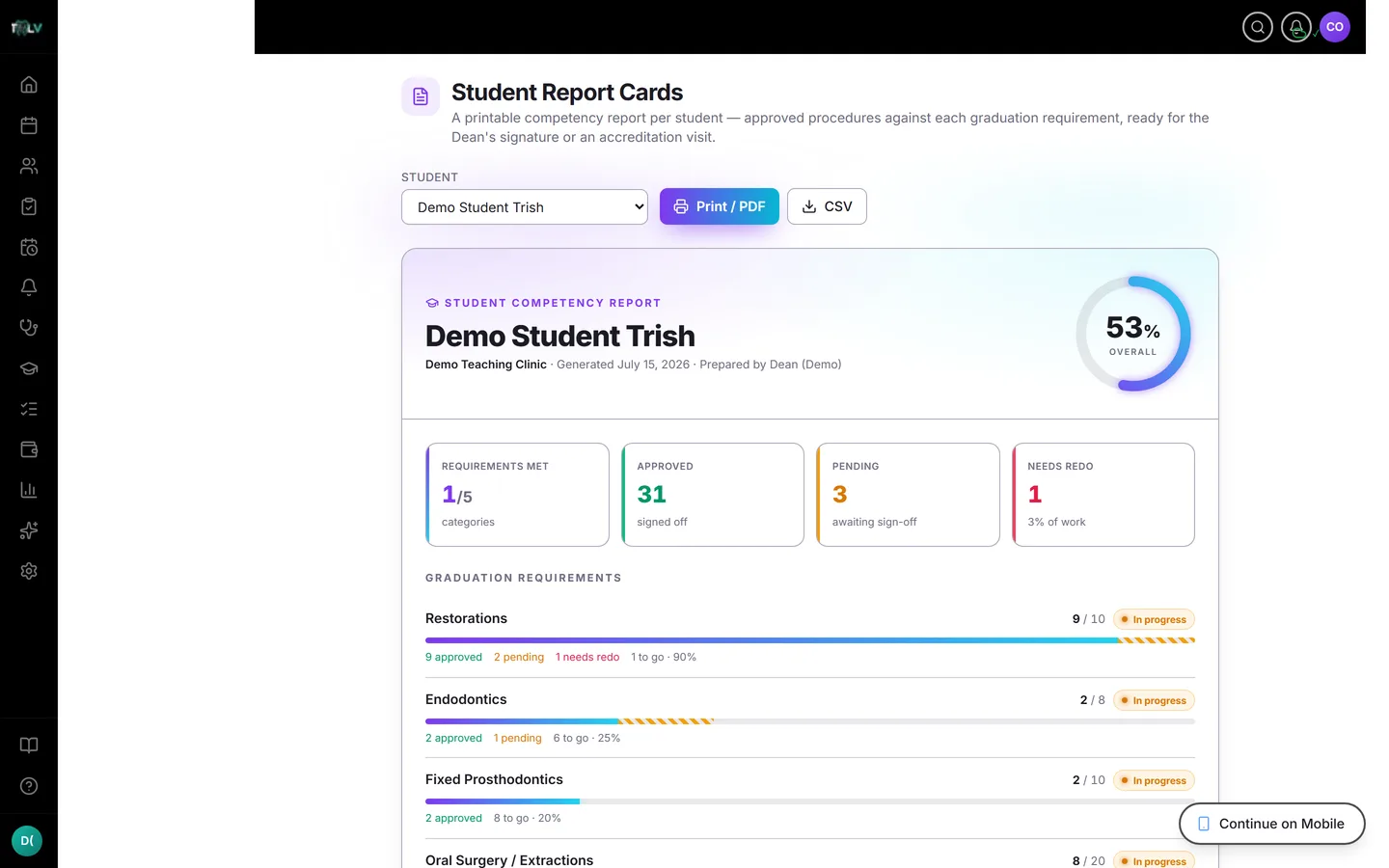
At the end of every term someone must attest, on paper, that each student's clinical numbers are real. Report Cards generates that document per student — target versus approved versus pending versus needs-redo, per requirement category, with an overall completion figure and a signature block — printable, and built from data with a verification trail behind every count.
Generating One
Open Report Cards (faculty-only: Dean, Owner, Full Access, Professor — and only in teaching clinics; students use My Progress instead). Pick a student from the cohort roster; their card loads with the clinic name, date, per-requirement rows, and the completion ring. Then choose the scope — the important decision on this page.
Graduation Record vs Term Activity
The scope selector switches between two artifacts that must not be confused:
- All time (graduation) — the cumulative competency record: everything approved across the student's whole program, measured against every target, with the signature block. This is the document for the Dean's signature and the accreditor's binder.
- A single academic term — an activity report: what the student did in that window, deliberately without targets, percentages, or a signature block. The design is intentional — a term summary must never be filed as a competency attestation, so the system won't dress it up as one.
Use the term view for semester grading conversations; use all-time for anything anyone signs.
What Counts (and Why You Can Sign It)
Only professor-approved procedures enter the totals. Pending and needs-redo work shows separately — visible so gaps are obvious, excluded so the headline number reflects verified competency rather than raw logging. When you sign a report card, you're signing a chain: every counted procedure was reviewed by a named professor on a recorded date. That chain is what makes the signature safe.
Printing and Exporting
Use the browser's print for a clean PDF or paper copy — the all-time card carries signature lines for the Clinical Instructor and the Dean / Clinic Coordinator. CSV export produces the same numbers as data (term and all-time shapes differ, matching what each view shows) for the registrar's spreadsheets.
Where It Fits Among the Reports
Report Cards is the per-student artifact. The whole-cohort equivalent — one signable summary across all students plus program-level coverage — is the Accreditation Pack, which has its own article. Rule of thumb: student file → report card; program review → accreditation pack.
Was this article helpful?
Need more help? Contact our support team