
Language Settings: English, Tagalog, and Taglish
How to change your personal language preference and set the default language for your clinic.
Three Languages, Three Different Places
DentalView speaks English, Tagalog, and Taglish — but "the language setting" is actually three separate dials, and knowing which one you're turning saves confusion: what you see, what new staff start with, and what patients receive by SMS.
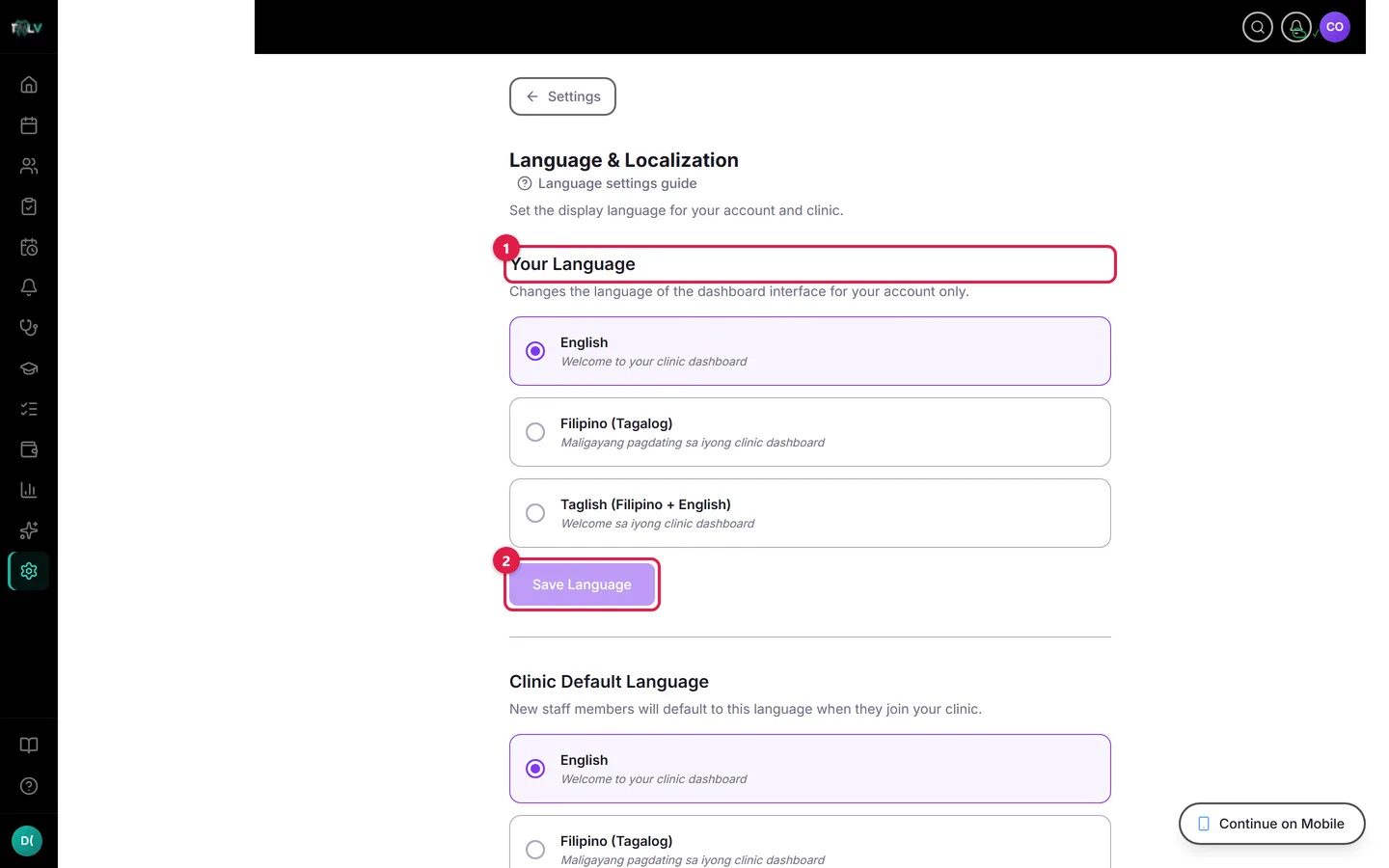
On this screen: ① Your Language — English, Tagalog, or Taglish, with a sample sentence on each card; this is personal to your login. ② Save language — applies it and reloads the page. Owners also see a Clinic Default below, which sets the starting language for new team members.
Your Language (Per User)
Open Settings > Language. Under Your Language, pick English, Tagalog, or Taglish — each card shows a sample sentence so you can judge the register, not guess from a label — then click Save language. The page reloads a moment later fully translated. This choice is personal to your login: the dentist can work in English while the front desk runs Taglish, on the same clinic, at the same time.
Clinic Default (Owner-Set)
Below it, Clinic Default decides which language new team members start in before they've picked their own. Owners save it with Save clinic default — no reload needed, and it never overrides anyone's personal choice, only seeds it. Match it to how your team actually talks and most staff will never need to touch the setting.
Patient SMS Language (The One Patients Notice)
Patient messages are governed separately, in Reminders > SMS Template Language: owners set each SMS template — reminders, confirmations, recalls, thank-yous — to Use clinic default, English, Filipino (Tagalog), or Taglish, with a live sample preview per template. This is the dial with patient-facing consequences: a Taglish reminder reads like a text from a person ("May appointment ka bukas ng 10 AM sa {clinic_name}"), and messages that read human get replies, confirmations, and fewer no-shows. Match the templates to how your patients text, not how your documents read.
One more polyglot in the building: Devy, the AI assistant, answers in English by default but follows along if you write to it in Tagalog or Taglish — no setting required.
Was this article helpful?
Need more help? Contact our support team